
- Heat therapy — a warm compress or heating pad applied to the upper trapezius for 15 to 20 minutes may help relax tight muscles after a long day
- Gentle stretching — slow, controlled neck rotations and lateral tilts done within a pain-free range can help maintain mobility and reduce tension buildup
- Strengthening
You know the feeling. It’s 3pm, you’ve been on back-to-back video calls, and you suddenly realize your neck has been quietly screaming at you for the last two hours. Maybe you’re hunched over a laptop on the kitchen table, or craning your chin toward a monitor that’s just a little too low. If work from home neck pain has become a regular part of your remote work routine, you are absolutely not alone — and more importantly, there are real, practical things you can do about it.
Affiliate disclosure: This post contains affiliate links. As an Amazon Associate, I earn from qualifying purchases. This helps keep JointHealthFAQ.com running at no extra cost to you.
Why Working From Home Is Surprisingly Hard on Your Neck
Here’s something I find myself explaining constantly: the office setup most of us complained about was actually doing us a favor. Dedicated desks, monitors at eye level, ergonomic chairs — those things matter enormously for cervical spine health. When we moved to home offices, most of us traded all of that for a couch, a coffee table, or a cramped corner desk with a laptop balanced on a stack of books.
The human head weighs roughly 10 to 12 pounds in a neutral position. But for every inch your chin juts forward or drops down, the effective load on your cervical spine increases dramatically. Research suggests that tilting your head just 30 degrees forward can place the equivalent of nearly 40 pounds of pressure on the cervical vertebrae and surrounding muscles. Do that for six to eight hours a day, five days a week, and it’s no wonder your neck is done with you by Wednesday.
There are a few other home-specific culprits worth mentioning too:
- Laptop screens positioned below eye level — nearly universal in home setups
- Sitting in non-supportive chairs for far longer than intended
- Sleeping poorly due to stress, which worsens muscle tension and recovery
- Fewer natural movement breaks — no walking to a conference room, no strolling to a colleague’s desk
What Actually Helps: Habits First, Products Second
Before I get into the products I genuinely like, I want to be honest with you the way I’d be with a friend: no pillow or gadget will fix a structural problem if your daily habits are working against you. These are the foundational changes that many people find make the biggest difference.
Raise Your Screen to Eye Level
This one single change may help more than anything else on this list. The top third of your screen should sit roughly at eye level when you’re sitting upright. If you’re working from a laptop, that almost certainly means elevating it and pairing it with an external keyboard and mouse. It feels like a hassle until the first day you end without a headache.
Move Every 30 to 45 Minutes
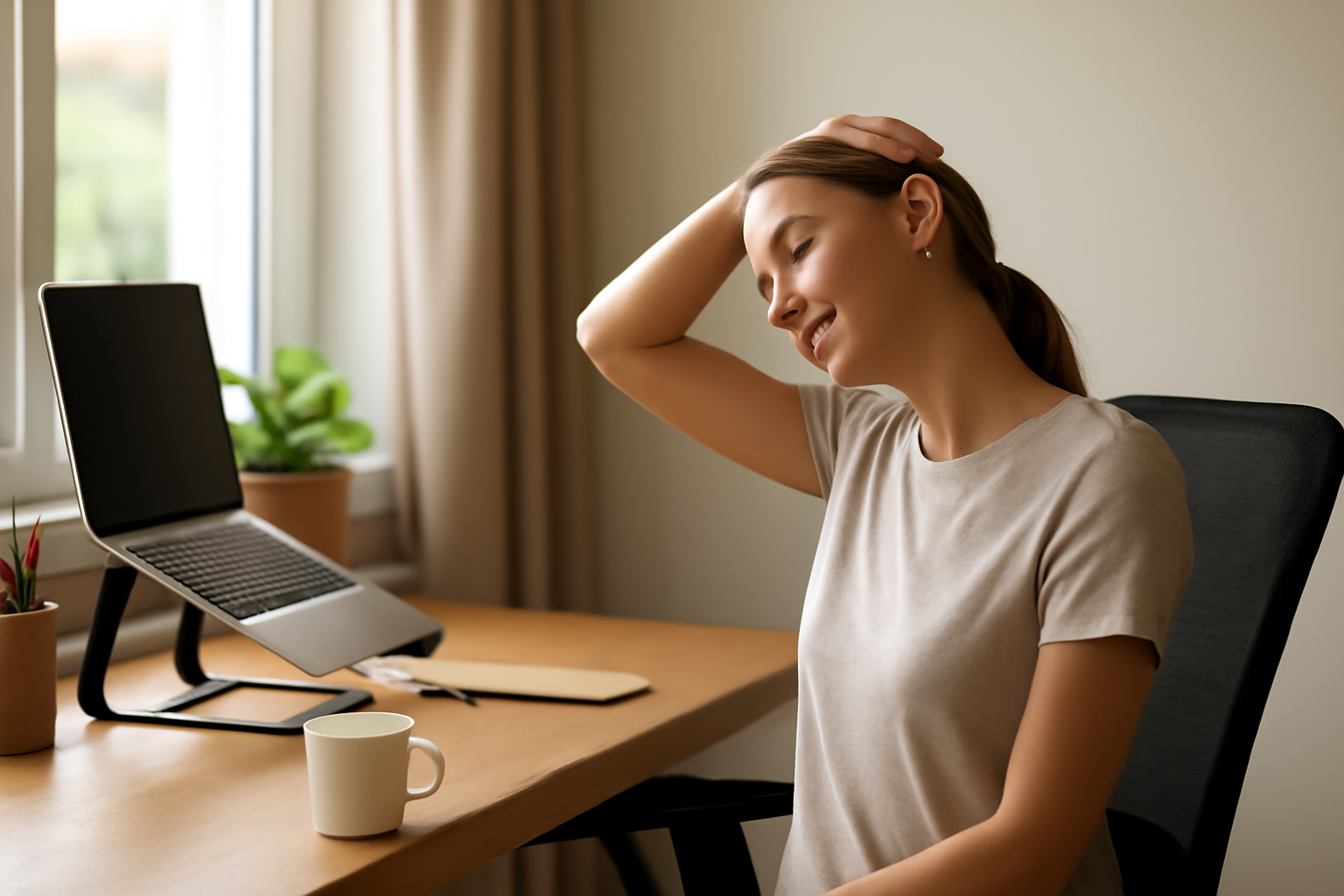
Set a timer if you have to. Stand up, roll your shoulders back, do a few gentle chin tucks — where you gently pull your chin straight back like you’re making a double chin. It looks ridiculous and it works. Even 60 seconds of movement can help reset muscular tension and improve circulation to the cervical structures.
Be Intentional About Sleep Position
Your neck spends a third of its life on your pillow. If that pillow isn’t supporting proper cervical alignment, you may be waking up already behind the eight ball before you’ve even opened your laptop. Many people find that switching to a properly contoured cervical pillow is one of the most impactful changes they make.
Products Worth Trying for Work From Home Neck Pain
These are the specific products I’d feel comfortable recommending to someone dealing with chronic neck tension from remote work. I’ve looked for options that prioritize real ergonomic function over flashy marketing.
For Better Sleep Support: Cervical Contour Pillows
If you wake up stiff and sore, your pillow is a logical first place to look. A properly designed cervical pillow cradles the natural curve of your neck rather than flattening it or forcing it into awkward angles. Three options I think are worth considering:
The Ultra Pain Relief Cooling Pillow for Neck Support (Queen Size) features an adjustable, contoured memory foam design with a cooling cover — genuinely useful if you run warm at night. The ergonomic shape is designed to accommodate side, back, and stomach sleepers, and many users report it helps reduce morning stiffness. If you prefer a slightly different fit, there’s also a King Size version of the same Ultra Pain Relief Cooling Pillow that may suit those who move around more during sleep.
Another strong option is the Osteo Cervical Pillow for Neck Pain Relief, which features a thoughtful hollow core design that reduces pressure on the center of the neck while the contoured edges provide lateral support. It also comes with a cooling pillowcase and is adjustable, which I appreciate — not every neck is built the same.
For a Better Workstation: Laptop Stands
Getting your screen up to eye level is non-negotiable for cervical health. A laptop stand is the most affordable and immediate way to do that. Two solid picks:
The Amazon Basics Height Adjustable Laptop Stand is straightforward, sturdy, and gets the job done. It’s height adjustable, ventilated for cooling, foldable for portability, and fits laptops up to 15.6 inches. No frills, dependable, and reasonably priced — sometimes that’s exactly what you need.
If you want something with a bit more adjustability and a compact footprint, the Gogoonike Adjustable Metal Laptop Stand is worth a look. It’s foldable, ventilated, compatible with laptops from 10 to 15.6 inches, and has a clean design that works well in home office environments. Many people find the angle adjustability particularly useful for dialing in the right screen height.
A Few More Things That May Help
Beyond the products above, here are a few additional approaches worth having in your toolkit:
- Heat therapy — a warm compress or heating pad applied to the upper trapezius for 15 to 20 minutes may help relax tight muscles after a long day
- Gentle stretching — slow, controlled neck rotations and lateral tilts done within a pain-free range can help maintain mobility and reduce tension buildup
- Strengthening