
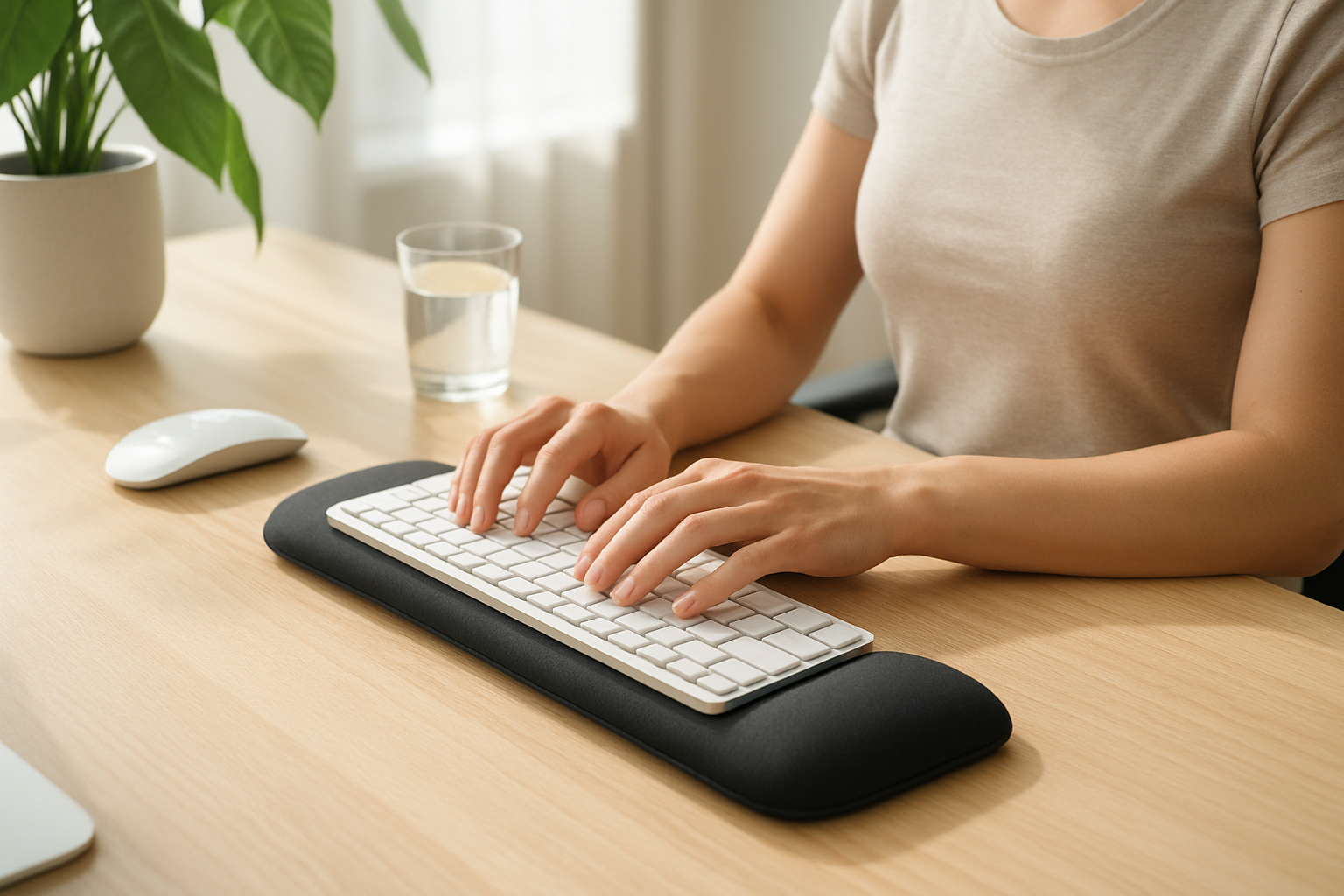
You know that moment when you reach for your coffee mug and your wrist just… protests? That dull ache that starts somewhere around 2 p.m., creeps up your forearm, and by the end of the workday has turned into something you can’t ignore anymore? I lived that cycle for almost two years before I finally got serious about finding real wrist support for typing pain. If that scenario sounds familiar, you’re in the right place — and I promise this isn’t just another list of vague tips you’ve already googled.
This post contains affiliate links. As an Amazon Associate, I earn from qualifying purchases. This helps keep the site running at no extra cost to you, and I only recommend products I genuinely think are worth your money.
Why Typing Hurts More Than You Think It Should
Here’s something most people don’t realize: the average office worker types somewhere between 40 and 60 words per minute for hours at a stretch. That means your wrists are making thousands of small repetitive movements every single day, often in positions that place real stress on the tendons, joints, and the narrow carpal tunnel through which your median nerve passes. Research suggests that prolonged wrist extension — that slight bend upward that happens when your keyboard is too high or you’re resting your wrists while actively typing — can increase pressure inside the carpal tunnel significantly. Over time, that pressure may contribute to inflammation, nerve irritation, and the kind of nagging pain that makes you dread Monday mornings.
The tricky part is that wrist discomfort from typing rarely announces itself dramatically. It usually starts as mild fatigue, a little stiffness in the morning, maybe some tingling in your fingers. A lot of people brush it off for months before they connect it to their workstation setup. I was one of those people. I kept assuming I had just slept funny or worked out too hard — right up until I started noticing the same ache every single workday without fail.
The Ergonomic Setup Changes That Actually Made a Difference
Before we talk products, I want to be clear about something: no wrist rest in the world will fully compensate for a fundamentally awkward workstation. The gear helps — and it genuinely does help — but the foundation matters first. Here’s what I changed before anything else:
- Keyboard height: Your keyboard should sit at a height where your elbows are at roughly 90 degrees and your forearms are roughly parallel to the floor. If your desk is too high, a keyboard tray can be a game-changer.
- Wrist position while typing: Many people don’t realize that wrist rests are meant to be used during pauses — not while actively striking keys. While typing, your wrists should float slightly above the surface. The rest is for breaks between bursts of typing.
- Monitor height: This one surprised me. When your screen is too low, you hunch forward — and that posture travels all the way down to your wrists. Raising my monitor to eye level made a noticeable difference in how my whole upper body felt.
- Micro-breaks: I started using a simple rule — every 25 to 30 minutes, I stop typing, shake out my hands, and do a few gentle wrist circles. It sounds small, but many people find this kind of periodic movement makes a real difference in how their wrists feel by end of day.
Once I had those fundamentals in place, adding the right wrist support tools took things from manageable to genuinely comfortable.
Wrist Support for Typing Pain: Products I Actually Recommend
I’ve tried more wrist rests than I care to admit. Some were too firm, some went flat after a few weeks, and a few made things worse by positioning my wrists at an odd angle. The options below are ones that I believe offer real ergonomic value — and the feedback from users with similar complaints backs that up.
Best Overall Set: Gimars Upgrade Gel Memory Foam Keyboard & Mouse Wrist Rest
This is the set I’d hand to a friend first. The Gimars Upgrade Enlarge Silky and Superfine Fabric Gel Memory Foam Keyboard Wrist Rest Set uses a gel memory foam construction that contours gently to the shape of your wrist without bottoming out — which matters a lot if you’re going to be resting on it throughout the day. The silky fabric cover is soft against skin and feels noticeably more comfortable than cheap neoprene options. It comes as a matched keyboard and mouse pad set, which helps keep your wrist at a consistent height across both devices. Many users report that it holds its shape well over months of daily use, which has been my experience too.
Budget-Friendly Pick: Hoewina Keyboard Wrist Rest
If you’re looking for solid ergonomic support without spending much, the Hoewina Keyboard Wrist Rest punches well above its price point. It uses a superfine fabric surface over gel memory foam, and the profile is designed to keep your wrist in a neutral position while typing — which is exactly what you want. It’s a keyboard-only option, so pair it with a separate mouse pad if needed, but for people whose primary complaint is keyboard-related wrist fatigue, this is a great starting point.
For Heat Sensitivity: Yolanda Keyboard Wrist Rest with Cooling Gel
Some people find that wrists that are already inflamed or sensitive feel worse on a surface that traps heat. If that’s you, the Yolanda Keyboard Wrist Rest with Cooling Gel is worth a look. The cooling gel formula is designed to stay temperature-neutral longer than standard memory foam, and the stitched edges give it a durability edge over cheaper alternatives. It’s a clean, minimal design that works equally well for office setups and home desks.
Full Set for Gamers and Heavy Users: KTRIO Ergonomic Keyboard & Mouse Wrist Rest Set
If you spend long hours at your desk — whether for work, gaming, or both — the KTRIO Ergonomic Keyboard Wrist Rest and Mouse Pad Set is built for that kind of sustained use. The memory foam density is well-calibrated — firm enough to provide real support, soft enough to avoid pressure points. The non-slip base keeps everything in place during long sessions, which is a detail that sounds minor until you’ve dealt with a wrist rest that slides around mid-sentence. A matched set also means consistent wrist elevation across your full typing area.
Lightweight and Travel-Ready: TECKNET Keyboard Wrist Rest & Mouse Pad Set
For people who split time between home and office, or who travel with a laptop setup, the Categories Wrist & Hand Support