
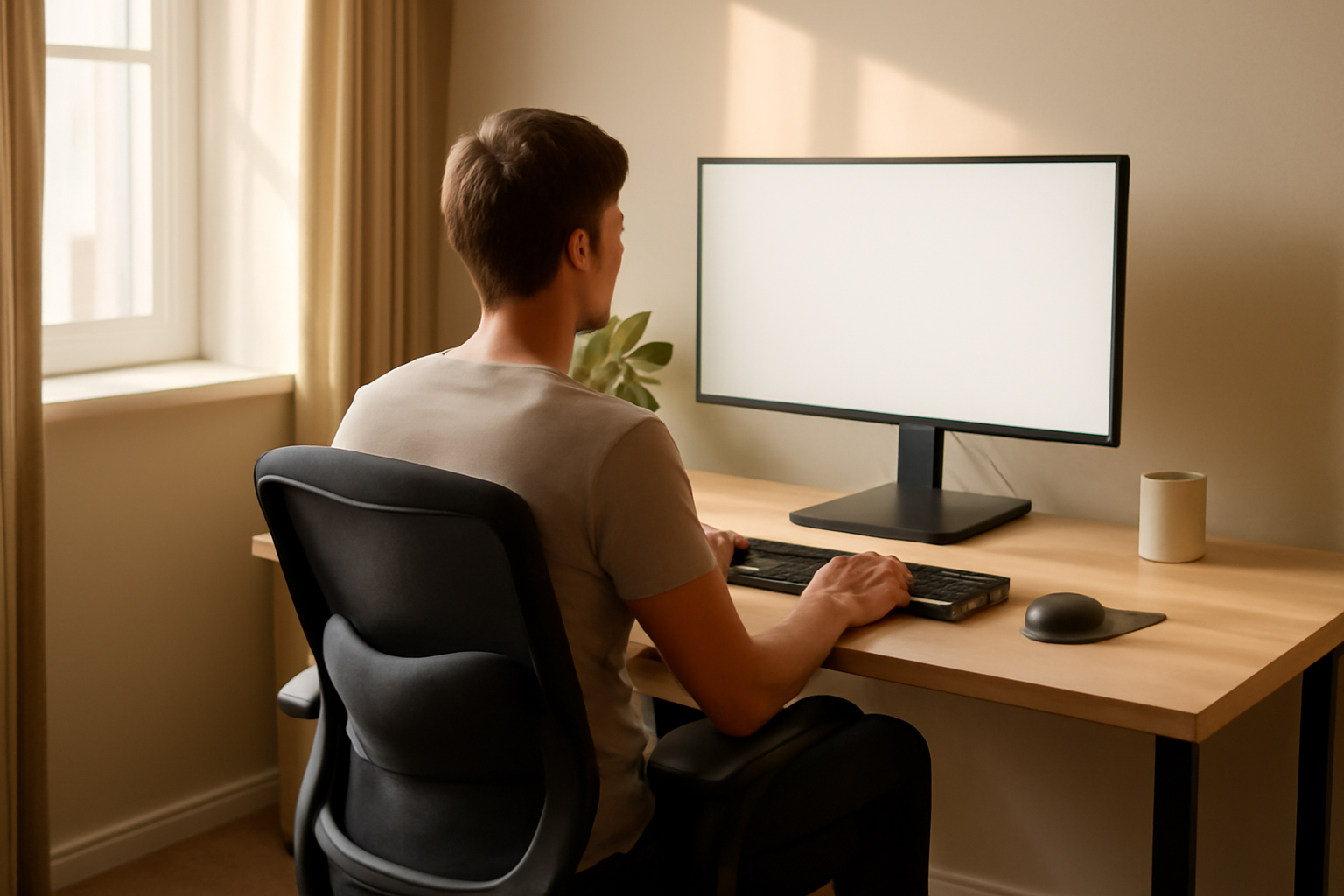
You know that feeling — it’s 3 p.m., you’ve been at your desk since morning, and your neck is stiff, your lower back is aching, and your wrists feel like they’ve been bent in the wrong direction for hours. I’ve heard this exact scenario from countless patients, and honestly, I’ve lived it myself. What most people don’t realize is that the cumulative stress of poor posture and bad desk setup isn’t just uncomfortable — over time, it can put serious strain on your joints. That’s exactly why ergonomics joint protection goes hand in hand, and making even small changes to your workspace can make a meaningful difference in how your body feels day after day.
This post contains affiliate links. As an Amazon Associate, I earn from qualifying purchases. This helps keep the site running at no extra cost to you — and I only recommend products I genuinely believe may help.
Why Your Desk Setup Is Doing More Damage Than You Think
Here’s something I wish more people understood: joints don’t usually blow out all at once. The damage tends to be slow and sneaky. When you sit hunched over a screen for hours, you’re not just straining muscles — you’re compressing the facet joints in your spine, loading your hip joints unevenly, and putting repetitive stress through your wrists and finger joints. Research suggests that prolonged awkward postures are a significant contributor to musculoskeletal disorders, particularly in the neck, shoulders, and lower back.
The good news? Your body is remarkably adaptable. Many people find real relief simply by rethinking how their workspace is set up. You don’t need a complete office overhaul — you need strategic adjustments that reduce the mechanical load on your joints throughout the day.
Ergonomics Joint Protection: Practical Tips for Every Part of Your Body
Your Spine and Lower Back
The lumbar spine — your lower back — takes an enormous hit when you sit for long periods, especially without proper support. The natural inward curve of your lower back tends to flatten when you slouch, which increases pressure on the spinal discs and surrounding joints. Aim to keep your feet flat on the floor, hips at roughly a 90-degree angle, and your lower back gently supported against your chair’s backrest.
If your chair doesn’t offer good lumbar support (and most don’t, honestly), adding a dedicated support cushion can help fill that gap. Many of my patients have told me it’s one of the simplest changes that actually sticks because you feel the difference immediately.
Your Neck and Shoulders
Look at where your monitor is right now. If you’re craning your neck downward or jutting your chin forward, your cervical spine is under far more load than it should be. The general guideline is that the top third of your screen should sit at or just below eye level, about an arm’s length away. This single adjustment may help reduce strain on the small facet joints of your neck and ease tension across the shoulder girdle.
Your Wrists and Hands
Repetitive wrist extension — the kind that happens when your keyboard is too high or your mouse is in an awkward position — can aggravate the small joints of the wrist and contribute to issues like carpal tunnel syndrome. Keep your wrists in a neutral, flat position while typing. Your elbows should rest comfortably at desk height, with forearms roughly parallel to the floor.
Your Hips and Knees
Sitting itself compresses the hip joints, and crossing your legs or tucking your feet under your chair can create uneven pressure through the knees. Try to keep both feet grounded and your knees at a roughly 90-degree bend. Standing up and walking for even two to three minutes every hour may help reduce joint compression and improve circulation to the surrounding tissues.
Products Worth Trying for Your Home or Office Setup
I want to be upfront: no product is a cure-all, and these won’t replace good movement habits or medical care if you’re already in pain. But used consistently as part of a thoughtful workspace setup, many people find these tools genuinely supportive.
For Lower Back and Seat Support
If your chair lacks lumbar support, a dedicated back cushion can help maintain that all-important lower back curve. The Lumbar Support Pillow with Mesh Cover and Double Adjustable Straps is a popular option — the adjustable straps mean it actually stays where you put it, which is a bigger deal than it sounds. It works for office chairs and car seats alike, so if you commute, you’re covered both ways.
For those who spend long hours sitting and feel it in their tailbone or sit bones, a good seat cushion can redistribute pressure more evenly. The BANKQF Memory Foam Seat Cushion is designed specifically with sciatica and tailbone discomfort in mind — the memory foam conforms to your shape, which many people find reduces that deep aching feeling after extended sitting. If you prefer something with a slightly different ergonomic contour, the BKT Ergonomic Seat Cushion is another solid choice that works well for office use, long commutes, or even outdoor activities like fishing or stadium seating.
For Monitor Height and Neck Alignment
Getting your screen to the right height is one of the highest-impact ergonomic changes you can make for neck and shoulder joint health. A monitor riser lifts your screen without requiring a whole new desk setup. The BoYata Adjustable Metal Monitor Stand is sturdy and adjustable, compatible with most screens and even iMacs — and the open design underneath gives you extra desk storage, which is a bonus. If you want something with a slightly different storage layout, the WALI Adjustable Monitor Riser is another well-regarded option that works equally well for laptops and desktop monitors.
Building Habits That Actually Last
Ergonomic tools only work if you use them consistently, and the same goes for good habits. A few things I encourage everyone to try:
- Set a timer to stand and move for two to three minutes every 45 to 60 minutes — your joints will thank you.
- Do gentle neck rolls and wrist circles at your desk. They take 60 seconds and may help reduce joint stiffness throughout the day.
- Check your posture every time you sit down, not just when you notice pain. Prevention is far easier than recovery.
- Stay hydrated — the cartilage in your joints is largely water, and hydration genuinely matters for joint health.
- Consider a standing desk converter if prolonged sitting is unavoidable — alternating between sitting and standing may reduce cumulative joint load significantly.
You don’t have to overhaul everything at once. Pick one or two changes from this list, implement them this week, and notice how your body responds. Small, consistent adjustments compound over time — and when it comes to ergonomics joint protection, that consistency is everything. Your joints are working hard for you every single day. With a little thoughtfulness about how your workspace is set up, you can help protect them for the long haul. You’ve