

You’re three hours into your workday, clicking through emails and typing up reports, when you notice it — that dull, nagging ache creeping into your wrist. Maybe it’s a faint tingling in your fingers, or a stiffness that just won’t shake loose no matter how many times you flex your hand. Sound familiar? If you spend most of your day at a desk, there’s a good chance your keyboard and mouse setup is quietly putting stress on your wrist joints in ways you haven’t fully considered yet. Understanding the connection between ergonomic keyboard mouse wrist joint protection is one of the most practical things you can do for your long-term joint health — and honestly, it’s one of the most overlooked.
What’s Actually Happening to Your Wrist Joints at Your Desk
I want you to look at your hands right now as you’re reading this. If you’re at a standard flat keyboard, there’s a decent chance your wrists are bent slightly upward, your forearms are rotated palm-down, and your fingers are reaching across keys in a way that compresses the small joints and tendons in your hands. This position — repeated for hours every single day — places what researchers call “ulnar deviation” and “wrist extension” stress on the carpal and radiocarpal joints.
Over time, this kind of repetitive mechanical stress may contribute to inflammation in the joint lining, increased pressure on the median nerve running through the carpal tunnel, and gradual wear on the soft tissue that cushions your joints. I’m not saying your keyboard is going to ruin your wrists overnight — but if you’re already noticing discomfort, or if you have a history of joint issues like early-stage arthritis or hypermobility, your current setup may be making things significantly worse without you realizing it.
Why Ergonomic Keyboard and Mouse Wrist Joint Protection Matters More Than You Think
Here’s what I tell people who come to me frustrated because their wrist pain keeps coming back despite stretching and rest: if you keep returning to the same posture that caused the problem, you’re fighting an uphill battle. Ergonomics isn’t a buzzword — it’s the science of designing your environment to fit how your body actually works, rather than forcing your body to adapt to poorly designed tools.
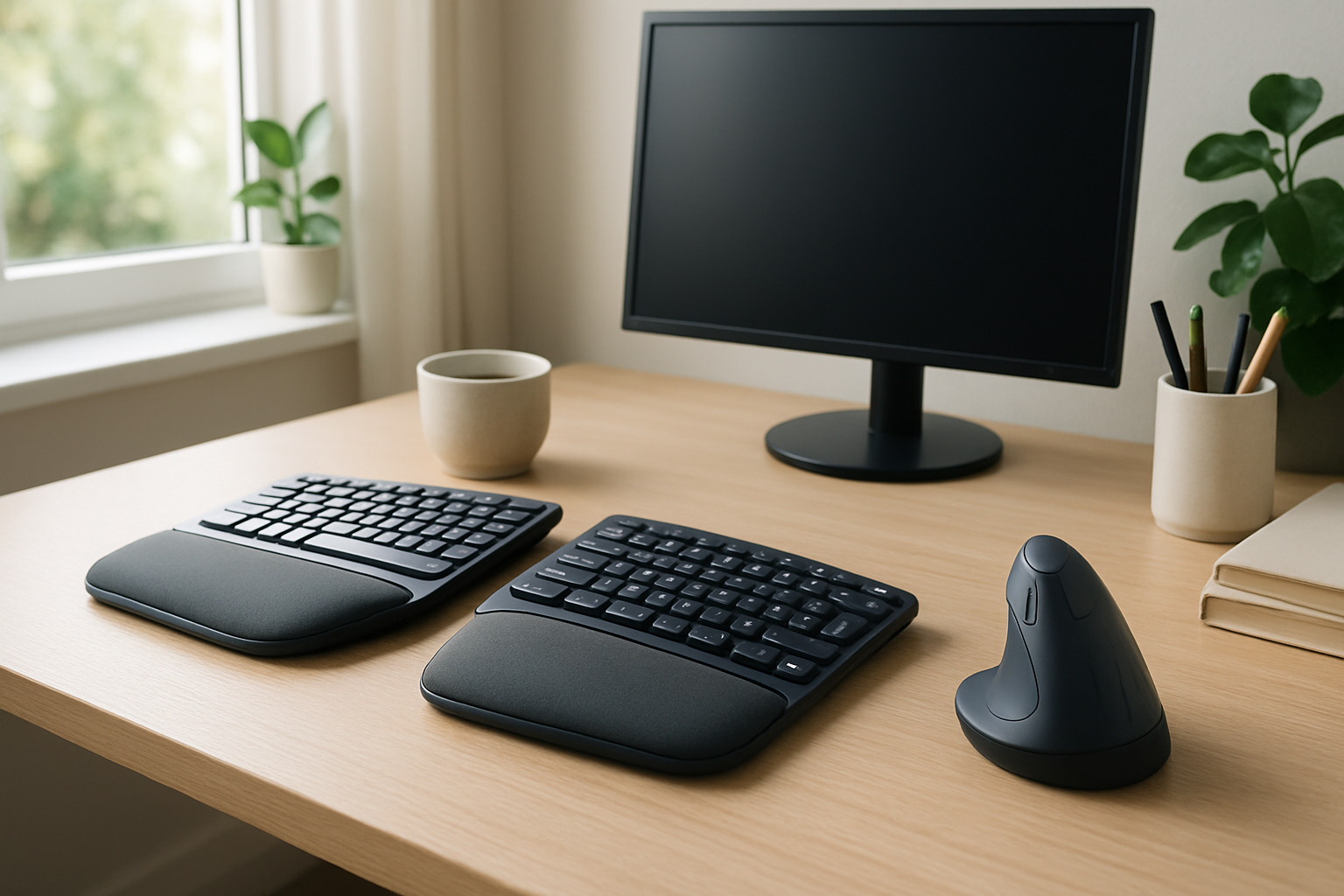
A well-designed ergonomic keyboard allows your wrists to stay in a more neutral position — think of it like a gentle handshake posture rather than pressing your palms flat on a table. Split keyboards in particular are designed to reduce the inward rotation of the forearms, which many people find noticeably reduces tension in the wrists and forearms after just a few weeks of use. Similarly, a vertical ergonomic mouse changes the grip angle so your hand rests in that same natural handshake position, dramatically reducing the pronation stress that a standard flat mouse creates all day long.
Research suggests that prolonged use of conventional input devices is associated with musculoskeletal discomfort in office workers, and many physical therapists and occupational health specialists now routinely recommend ergonomic tools as part of a comprehensive approach to managing and preventing wrist joint strain.
The Split Keyboard That Actually Reduces Wrist Radial Deviation During Long Typing Sessions
If your wrist pain is triggered by inward bending (radial deviation) while typing, a split keyboard forces your hands into a more neutral position — which is where the real relief starts. Most people don’t realize their standard keyboard is subtly torquing their wrists inward all day; a split design corrects that at the source.
What works
- The split design keeps both wrists in a straighter, more neutral angle — research on ergonomic keyboards shows this reduces repetitive strain on the carpal tunnel and wrist tendons compared to flat, unified boards.
- The cushioned palm rest actually discourages you from resting your wrist on the hard desk edge, which most people do without thinking and which compounds joint stress over hours.
- Users report noticing the difference within the first week — not because wrist pain vanishes, but because you stop *adding* fresh strain each time you sit down to work.
What doesn’t
- If your wrist pain is already significant or you have diagnosed carpal tunnel syndrome, a better keyboard won’t reverse existing inflammation — it will only prevent it from getting worse.
- You need a learning curve of 3–5 days to adjust to the split layout; if you type fast for work and can’t afford slower output during that adjustment period, this might frustrate you more than help.
A better keyboard setup is preventative and corrective, not curative — if your wrists are already damaged, you’ll also need stretching, breaks, or professional help to actually heal. Arteck Split Ergonomic Keyboard with Cushioned Wrist and Palm Rest
About This Article

Written by Michael Torres. Michael Torres has had joint problems his whole life — hypermobile as a kid, chronic sprains and a dislocating shoulder through his twenties, an osteoarthritis diagnosis in his early fifties, and a right knee replacement since. He is not a doctor or a physical therapist and has no clinical training. He writes about what has helped him and what he has watched help the people around him, and says plainly when he has not tried something himself. More about this site.
Scope and limits. Michael has no medical or clinical training — he writes about living with his own joint pain, not about treating anyone else's. Nothing here is medical advice. Talk to a doctor before starting anything new, and get seen promptly for pain that is new, severe, worsening, or comes with swelling, fever, or numbness.
Verify this against a primary source
Specifics change, and your situation may differ from the one described here. These are the authorities worth checking directly:
- NIAMS — arthritis and musculoskeletal research from the NIH
- MedlinePlus — plain-language medical reference from the NIH
- Arthritis Foundation — condition guides and treatment overviews