

I get asked some version of this question constantly: “What should I actually buy for my desk to protect my joints?” People are ready to spend money — they just don’t know where it does the most good. So let’s skip the general advice and get specific. Here’s how I’d prioritize equipment for a home or office desk if joint protection is the goal, starting with the piece that matters most and working down to the nice-to-haves.
How I’d Prioritize a Joint-Friendly Desk Setup, in Order
A lot of “ergonomic upgrade” advice treats every piece of equipment as equally important, which isn’t true and leads to people either overspending on the wrong things or giving up because a full overhaul feels expensive. Here’s the order I’d actually spend money in, based on which joints take the most sustained load first.
1. Lumbar Support — Buy This Before Anything Else
Your lower back takes the earliest and most consistent hit from desk work, because intradiscal pressure in the lumbar spine is actually higher sitting than standing, and it climbs further the moment you slouch. Most office chairs — even expensive ones — don’t hold the natural curve of your lower back well enough on their own. A dedicated lumbar support cushion is the cheapest fix with the most noticeable payoff, which is why it tops this list.
2. A Footrest or the Right Chair Height
If your feet don’t rest flat on the floor, pressure through your knees and hips becomes uneven every time you shift. If raising your chair to the correct height means your feet dangle, a footrest is a cheap fix — often under $25 — that closes that gap. This is a frequently skipped step because people fixate on chair quality and forget the floor-to-knee relationship entirely.
3. A Monitor Stand or Arm
Getting your screen to eye level is one of the highest-leverage changes for your neck, and it’s often achievable with a $20–$40 stand rather than a full monitor replacement. The rule of thumb: the top third of your screen should sit at or just below eye level, about an arm’s length away. If you work on a laptop, this is non-negotiable — pair a stand or riser with an external keyboard so you’re not looking down for eight hours.
4. A Keyboard and Mouse Setup That Keeps Wrists Neutral
This ranks lower than lumbar and neck fixes only because wrist issues tend to develop more slowly — but they’re just as preventable. A keyboard tray or a slight negative tilt keeps your wrists flat rather than extended upward, which is the position that aggravates the small joints and tendons of the wrist over time.
5. A Sit-Stand Converter — Optional, but Worth It If Budget Allows
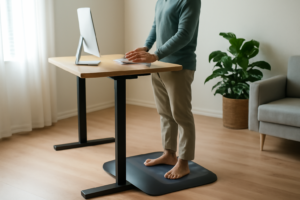
A full standing desk is a bigger investment, and honestly not essential if you’re already taking movement breaks. But a sit-stand converter that sits on top of your existing desk gives you the option to alternate positions throughout the day, which reduces the total time any single joint spends under sustained static load. I’d put this last on the list — nice to have once the fundamentals above are covered, not a substitute for them.
Why I’m Leading With the Lumbar Pillow
Of everything on this list, lumbar support is the one purchase that consistently gets the strongest “I felt the difference immediately” response from people who try it. It’s inexpensive, works with whatever chair you already own, and addresses the joint region — your lower back — that takes the most sustained daily load of anyone sitting for a living. If you’re only going to buy one thing off this list, buy this one first and see how the rest of your body responds before spending more.
The Lumbar Support That Actually Stays in Place During an 8-Hour Workday
Your lower back is the first casualty of desk work, and a lumbar pillow is one of the few purchases on this list that addresses the root cause — an unsupported spinal curve — rather than masking discomfort after the fact. The right one needs to stay put, provide genuine support without feeling like a rock, and not slide down every time you shift positions.
What works
- Maintains the natural curve of your lumbar spine throughout the day, which reduces disc stress and the micro-movements that lead to cumulative strain.
- Adjustable straps mean it works across most standard office chairs, so it’s a purchase you can take with you if you switch chairs or jobs.
- Most users report noticeable relief from lower back fatigue within 2–3 weeks of consistent use — not because it’s magical, but because your spine is finally working against gravity instead of with it.
What doesn’t
- It won’t fix your posture if you’re not also paying attention to it — this is the first item on the priority list, not the only one you’ll ever need.
- If you have severe degenerative disc disease or active sciatica, this is support, not treatment; you’ll likely need a proper medical evaluation alongside it.
Start your equipment list here, then work down through the priorities above as budget allows. Lumbar Support Pillow for Office Chair by Office Home Essentials
About This Article

Written by Michael Torres. Michael Torres has had joint problems his whole life — hypermobile as a kid, chronic sprains and a dislocating shoulder through his twenties, an osteoarthritis diagnosis in his early fifties, and a right knee replacement since. He is not a doctor or a physical therapist and has no clinical training. He writes about what has helped him and what he has watched help the people around him, and says plainly when he has not tried something himself. More about this site.
Scope and limits. Michael has no medical or clinical training — he writes about living with his own joint pain, not about treating anyone else's. Nothing here is medical advice. Talk to a doctor before starting anything new, and get seen promptly for pain that is new, severe, worsening, or comes with swelling, fever, or numbness.
Verify this against a primary source
Specifics change, and your situation may differ from the one described here. These are the authorities worth checking directly:
- NIAMS — arthritis and musculoskeletal research from the NIH
- MedlinePlus — plain-language medical reference from the NIH
- Arthritis Foundation — condition guides and treatment overviews